The following chart is a reference for those who need to set up their transmitter audio bandwidth to accomidate eSSB (Extended
Single Sideband) for high-fidelity transmissions, or to at least give the transmitter a chance to sound the best it can.
Yaesu FT-100
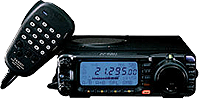
Menu #25 Mic Gain 85
Menu #16 Mic EQ 3
Menu #64 XMT Carrier shift -.05 to +.05
Menu #65 SMT Carrier shift +.05 to -.05
Menu #27 Compressor level 80
64 and 65 carrier point is very important
Yaesu FT-2000
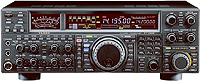
Power on the radio while pressing
CONT & DNR.
If you are using original firmware:
Go to menu item 083 (SSB TX BPF)
To
download newest firmware, click here.
If you are using the new firmware update:
Go to menu 085 (SSB TX BPF)
Where you used to find 3000WB, you will now find TTBF (4 kHz bandwidth ESSB mode) .
Push "MENU" button in and listen for beep to save the settings.
The FT-2000/FT2000D is now in the 50 Hz to 4 KHz transmit bandwidth.
To receive 4 kHz, put the "WIDTH" knob fully clockwise; You will see all of the LED's lit. Put the SHIFT knob in the center. You
will see these changes on your DMU.
Yaesu FT-1000MP
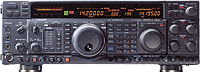
Menu #4-4 (TREDSP) 3
Menu #5-9 (TFIL) 6.0
Menu #7-7 (SSBT) 100-3100
Menu #8-9 (TLSB) -200
(PROCLSB) .08 + .06
(TUSB) -200
(PROCUSB) .08 - .06
4 dB processing
Yaesu FT-5000 &
Yaesu FTDX101D/MP
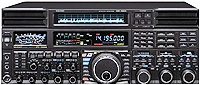
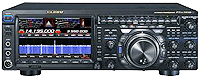
There is a secret "Power On" function built into the FTDX-5000 & FTDX101D/MP that allows the rig to transmit from 50Hz to 4kHz.
It is called TTBF which stands for Total Transmit Bandwidth Frequency. Once enabled, it will extend your transmit bandwidth right out to
4kHz. You may need to re-EQ your mic to tailor it to this new bandwidth.
To enable TTBF, turn the radio ON while holding in DNF on the CENTER VFO-A and DNR on the FAR RIGHT VFO-B.
Note: The DNF and DNR are right next to each other in between these 2 Sub VFO's. Once done, push the MENU button and turn the CENTER Sub
VFO-A to MENU 104 A3J. Next, turn the FAR RIGHT Sub VFO-B fully clockwise and TTBF will appear. If you did this Power On mod correctly, should
see TTBF instead of 3000WB. If you still see 3000WB, that means your little Power ON "mod" is not done right. Ya gotta do it again.
Pprogram your CS button to take you directly to this menu so that if I need to change the TX bandwidth on a fly, I just hit the CS button
and it'll prompt me right to it and change the BW quickly. This is one of the neatest feature of this rig since sliced bread :)
Note: The WIDTH control on the rig is the receiver's bandwith adjustment. For hi-fidelity audio reception, turn this knob fully clockwise.
This is the one and only knob out of the whole rig that is turned "All The Way To The Right!" :) You'll see that the display will
show WIDTH 4.00kHz and the receiver will open up nicely.
Yaesu FT-9000
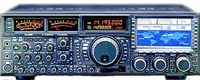
TTBF Settings for eSSB: (4kHz BW)
1) Turn off the 9000 via front panel switch.
2) Hold the "AFL" and "ACM" buttons in while turning the power on.
3) Under menu "No. 070", the TTBF should now be ON. You're done!
4) To reverse the process, just repeat the process.
EQ Settings:
Menu 69 select Front or Rear mic input
#1 Parametric Freq. 100 Hz
Bandwidth 2
Level -10 dB
#2 Parametric Freq. 1500 Hz
Bandwidth 4
Level +7 dB
#3 Parametric Freq. 3000 Hz
Bandwidth 3
Level +5 dB
Yaesu FT-920
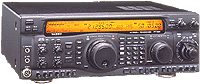
Menu U-51 (Mic-EQ) 3
Menu U-59 (TLSBCAR) lowest setting -.300
Menu U-60 (PROCLSB) LSB w/proc -.200
Menu U-62 (TUSBCAR) USB setting -.300
Menu U-63 (PROCUSB) USB w/proc -.200
|
Flex SDR1000 / PowerSDR
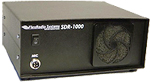
eSSB Settings With Power SDR 1.18.3 and SDR1000
Note: Use the highest values possible on the following settings:
Sound Card Buffer at least 2048 or higer
Sound Card Sampling Rate 96,000 or higher
DSP Phone TX Buffer 4096 or higher
DSP Phone RX Buffer 4096 or higher
Transmit Filter Width 50hz-6.5k
Mic Gain at 8 driving sound card at 0db
TX Filter = 50Hz to 6.5kHz
DX = none
Compander = none
Gate = none
Internal EQ Settings in PowerSDR:
EQ 10 Band (internal settings) External EQ recomended. If Using external EQ, turn internal OFF.
32 -3
63 +6
125 -6
250 -6
500 -3
1k 0
2k +3
4k +3
8k 0
16k 0
Noise Gate, CPDR and DX controls not used.
(Suggested settings provided by N9VR)
Kenwood TS-950SDX
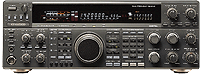
Power on radio pressing the "Fine" button
Menu #20 (DSP 1 HPF) -100
Menu #21 (DSP 1 LPF) -Off
Kenwood
TS-870S
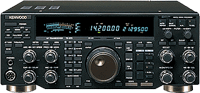
Menu #29 Bandwidth 3000 Hz
Menu #30 Bandshift 0 or 100
Menu #31 TX EQ H or C
Menu #22 Mic AGC start @ 1 (try 0 or 2)
Kenwood
TS-2000
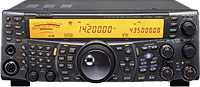
Menu #22 Bandwidth 3000 Hz
Menu #21 TX EQ H or C
Menu #20 RCV EQ C or OFF
Microphone gain default level 50
Elecraft K3
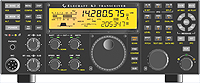
If you have a 6 kHz filter installed,
you can use WIDTH to select a wider passband.
In CONFIG:TX eSSB, change the parameter
from OFF to one of the provided selections
(3.5, 4.0, etc.).
With eSSB enabled, the transmit EQ menu entry name changes to MAIN:TX*EQ to allow you to independently adjust EQ at the selected wider bandwidth.
The amount of adjustment required at each EQ band may vary depending on the selected eSSB transmit bandwidth. (See manual pg 36)
Ten-Tec Omni VII
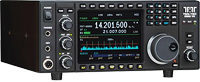
Front Settings:
Receive BW: 4000Hz (adjustable out to 12Khz)
IF: 6 Khz (this is set with Menu #37: AUTO
Menu Settings:
#4, SSB TX BW: 4000Hz
#5, TX Roll Off: 70Hz
#7, Audio Source: Both
#8, Line Gain: 50%
#11, RX Equalizer: 5 dB
#12, TX Equalizer: 5 dB
#26, FSK TX DATA: MARK HIGH
#37, IF Filter: AUTO
Note: 8 pin mic plug cable from front mic plug into the 5 pin din ACC1 JACK in back.
White: pin #1=Line Level In
Yellow: pin #4= Line Level Out
Black: pin #3= PTT
Red: pin #5= FSK (DATA)
pin #2= Ground
Note:If using outboard audio gear:
60 Hz: Boost 3 to 5 dB
80 Hz: Boost 2 dB
160 Hz: cut to maximum
All other frequencies between 200 to 800 Hz must be cut.
Boost 1 Khz 3 dB and increase each succeeding frequency gradually up to 4 Khz.
Boost 4 Khz to around 8 bB
Note: the Omni VII will handle the top end (high frequencies) very good!
Note: If using the W2IHY 8-Band EQ:
50 Hz: +14
100 Hz: +6
200 Hz: -8
400 Hz: -8
800 Hz: -4
1600 Hz: +10
2400 Hz: +12
3200 Hz: +14
If using the W2IHY EQplus:
Bass: 2 o'clock
Treble: 1 o'clock
Comp: 12 o'clock
Effects Level: 10 o'clock
Effects Switch: Up
Delay: Fully counterclockwise.
The information and suggested settings above are courtesy of K3UR
|